You have the option of synchronizing and using the Google calendar with the Windows 10 calendar app. We’ll show you how this works on this guide.
Nowadays, many Windows 10 users have a Google account in addition to the Microsoft account. Microsoft offers the ability to synchronize these two calendars and others.
As soon as you enter an appointment for one of the two, the other will be visible. This synchronization is very helpful if you want to share a calendar with the family.
In these step-by-step instructions, we will show you how you can synchronize the Google calendar with the Windows 10 calendar app.
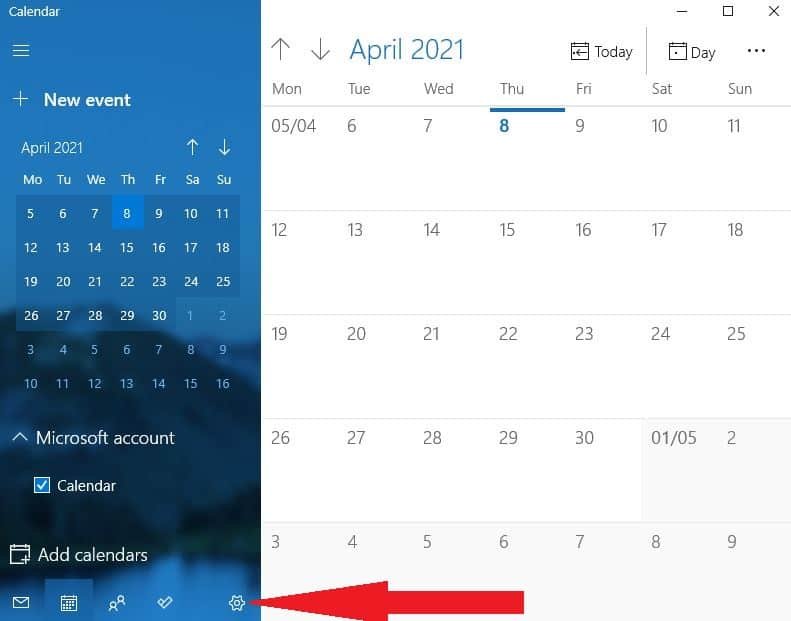
- The first thing to do is start the calendar app on Windows 10. The fastest way is to enter calendar in the search bar.
- If no calendar is set up, click on “Add calendar”. If the calendar is open, open the settings by clicking on the gear icon.

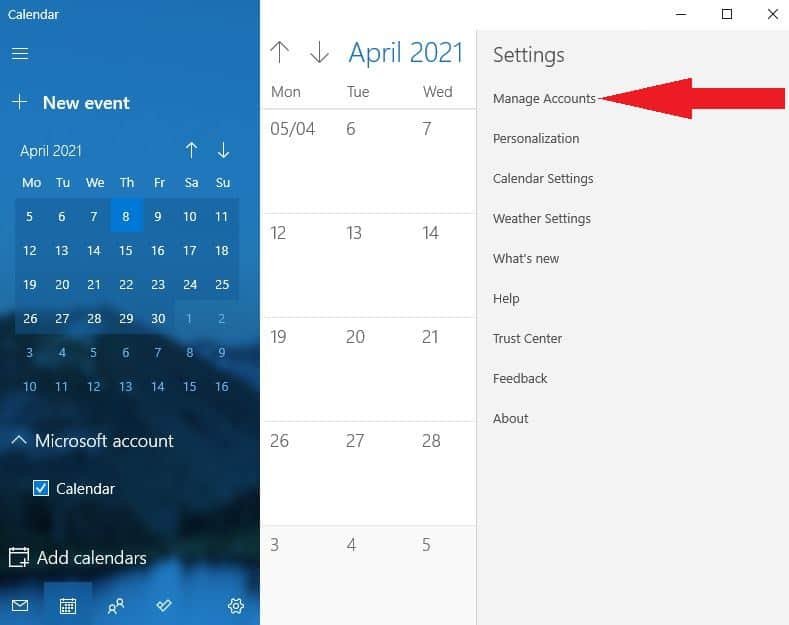
- Click on “ Manage Accounts.”

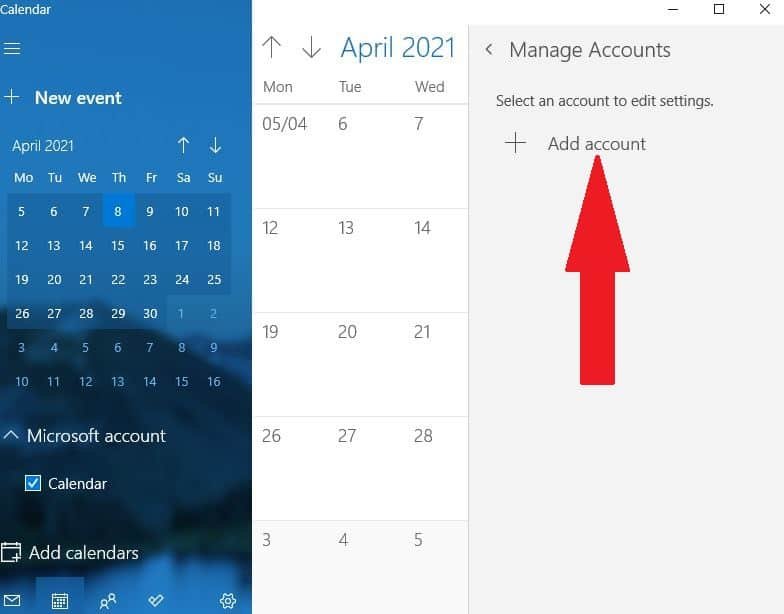
- Now select “Add Account.”

-
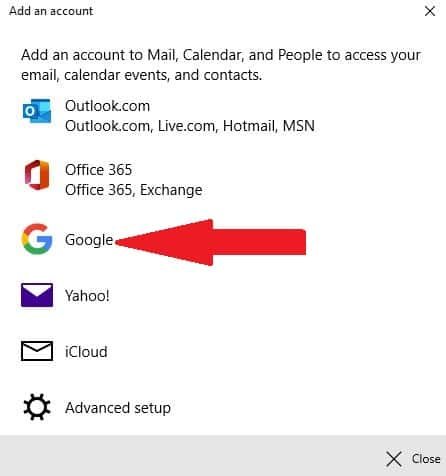
You will receive a list of all providers that are supported. Click Google.
Add an account to Mail, Calendar, and People to access your email, calendar events, and contacts.
Outlook.com, Live.com, Hotmail, MSN, Exchange, Office 365, Google, Yahoo !, Cloud, Advanced Setup
- Enter the access data from your Google account.
After the required registration, the Windows 10 calendar app automatically synchronizes with the Google calendar.